Best Email Hosting for Multiple Domains in 2026 (7 Options Compared)
Running email across 2+ domains? Here are the best multi-domain email hosting providers in 2026, compared on pricing, mailbox limits, and deliverability — plus how to pick the right one.
If you're running more than one website — a main product, a couple of side projects, maybe a client brand or two — you've probably hit the same wall: most email providers are built for one company, one domain. The moment you add a second or third domain, pricing multiplies, inboxes fragment across logins, and "simple" business email turns into a spreadsheet of subscriptions.
This guide compares the best email hosting options specifically for multi-domain setups — indie hackers running several micro-SaaS products, agencies managing client domains, and founders juggling more than one brand under one roof.
What to Actually Look for in Multi-Domain Email Hosting
Before the list, here's what separates providers that handle multiple domains from ones that just tolerate them:
- Flat-rate or pooled pricing — not a per-mailbox fee that multiplies with every domain you add
- One unified inbox — switching between
support@domainA.comandbilling@domainB.comwithout re-logging in - True bi-directional mailboxes — not just forwarding aliases that break SPF/DKIM on reply
- Deliverability visibility — DNS/SPF/DKIM/DMARC health you can actually see, not just set-and-hope
- Storage that scales with usage, not a hard per-mailbox cap that fills up fast across domains
With that in mind, here are the 7 best options in 2026.
1. Razix — Best Overall for Multi-Domain Founders
Best for: Indie hackers, serial founders, and agencies running 2+ domains who want one flat rate instead of stacking per-mailbox fees.
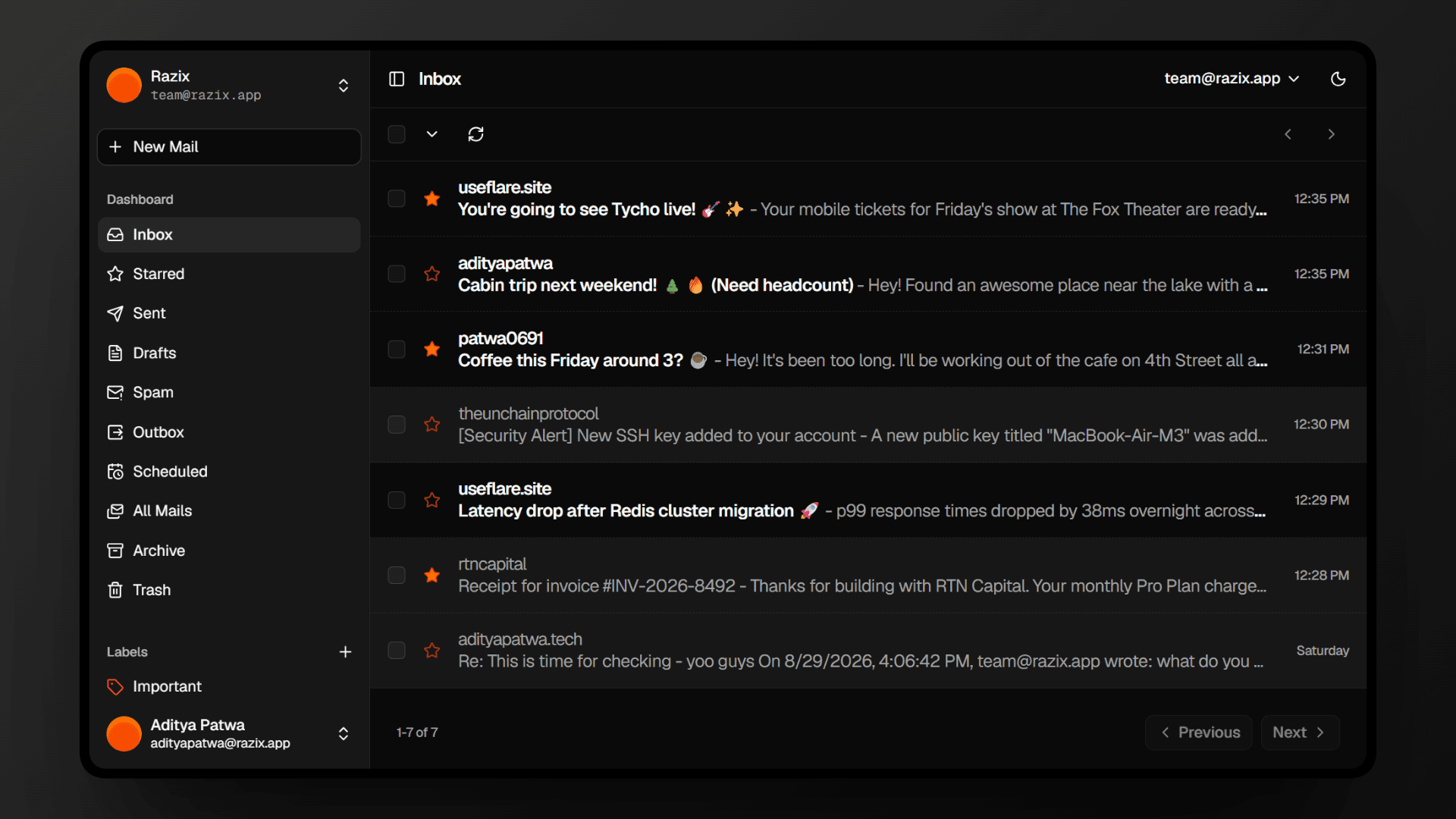
Razix is built specifically around the multi-domain use case — it's the default, not an add-on. You connect all your domains once and manage every mailbox from a single modern, dark-mode inbox, with built-in deliverability guardrails that flag SPF, DKIM, and DMARC issues before they cause bounced or spam-flagged emails.
Pricing:
| Plan | Price | Domains | Mailboxes | Email Volume/mo | Storage |
|---|---|---|---|---|---|
| Starter | $29/mo | 3 | 10 | 25,000 | 15 GB |
| Pro | $79/mo | 10 | 50 | 100,000 | 100 GB |
| Business | $199/mo | Unlimited | Unlimited | 250,000 | 250 GB |
Why it wins for multi-domain setups: No per-seat penalty. Adding a 4th, 5th, or 10th domain doesn't multiply your bill the way it does with per-mailbox providers — it just uses more of the quota you're already paying for.
Watch out for: If you genuinely only run one domain with 1–2 mailboxes, a flat-rate plan may be more than you need — a single-domain provider could be cheaper at that scale.
2. Google Workspace
Best for: Teams already deep in the Google ecosystem (Docs, Meet, Calendar) who need those tools bundled with email.
Google Workspace is reliable and familiar, but it's priced per user, per domain — roughly $6–$12/mailbox/month depending on tier. Multiply that across several domains and mailboxes and costs climb fast, often into the $70–150+/month range for founders managing multiple brands.
Downside for multi-domain use: Domain switching inside Workspace admin is clunky, and each additional domain typically still bills per-mailbox with no pooled discount.
3. Microsoft 365
Best for: Businesses standardized on Outlook, Teams, and the Microsoft stack.
Similar story to Google Workspace — solid infrastructure, but per-seat pricing that doesn't flex well when you're spreading a handful of mailboxes across several unrelated domains. Admin complexity (Exchange, tenant management) also adds overhead most solo founders don't need.
4. Zoho Mail
Best for: Budget-conscious teams that don't mind a dated interface.
Zoho Mail is one of the cheaper traditional options and does support multiple domains on paid plans. Where it falls short is the user experience — search indexing is slow, the UI feels a decade old, and DNS/domain verification is a manual, unguided process. Functional, but not built for founders who live in their inbox across brands all day.
5. Migadu
Best for: Technically comfortable users who want flat-rate multi-domain hosting and don't mind a more utilitarian interface.
Migadu is arguably the closest philosophical competitor to Razix — flat-rate pricing, genuinely unlimited domains on higher tiers, and a dev-friendly setup. The tradeoff is polish: the webmail interface and deliverability tooling are more bare-bones, so you're doing more manual DNS diagnosis yourself.
6. MXroute
Best for: Indie hackers who want lifetime-style cheap multi-domain hosting and are comfortable with cPanel.
MXroute is popular in the indie hacker community for offering a huge number of domains/mailboxes at a low upfront cost. The catch is the interface — it's cPanel-based, which means manual server-level configuration and a UI that hasn't meaningfully modernized. Great value, rougher experience.
7. ImprovMX / Forward Email
Best for: Extremely simple setups where you only need to receive mail, not run a real inbox.
These are forwarding services, not true mailboxes — mail sent to hello@yourdomain.com gets redirected to your personal Gmail. They're free or near-free, but replying from the forwarded address often breaks SPF/DKIM alignment, which can land your replies in the recipient's spam folder. Fine for a single low-traffic catch-all; not a real solution once client communication matters.
Quick Comparison Table
| Provider | Pricing Model | Multi-Domain Native? | Deliverability Monitoring | Interface |
|---|---|---|---|---|
| Razix | Flat-rate | Yes, built for it | Real-time SPF/DKIM/DMARC alerts | Modern, dark-mode |
| Google Workspace | Per-seat | Partial | Manual | Familiar, dated for admin |
| Microsoft 365 | Per-seat | Partial | Manual | Familiar, complex admin |
| Zoho Mail | Per-seat (cheaper) | Yes | Manual | Dated |
| Migadu | Flat-rate | Yes | Basic | Utilitarian |
| MXroute | Flat-rate (cPanel) | Yes | Manual | Legacy/cPanel |
| ImprovMX / Forward Email | Free/low-cost | N/A (forwarding only) | None — SPF/DKIM breaks on reply | N/A |
How to Choose the Right One
- 1 domain, 1–2 mailboxes, need it free: Forwarding tools (ImprovMX/Forward Email) are fine — just don't expect reliable reply deliverability.
- 1 domain, already using Google Docs/Meet daily: Stick with Google Workspace or Microsoft 365, the bundled tools justify the per-seat cost.
- 2+ domains, budget matters, don't mind a technical setup: Migadu or MXroute are strong flat-rate options if you're comfortable doing your own DNS troubleshooting.
- 2+ domains, want a modern interface and built-in deliverability visibility without the manual DNS guesswork: This is exactly the gap Razix is built for.
Frequently Asked Questions
What's the cheapest way to host email for multiple domains? Free forwarding tools like ImprovMX are cheapest, but they aren't true mailboxes and often break outbound authentication. For real bi-directional mailboxes, flat-rate providers like Razix or Migadu are typically cheaper than stacking per-seat plans across domains.
Can I use one Google Workspace account for multiple domains? Yes, Google Workspace supports secondary domains, but each mailbox is still billed per user, so costs scale linearly with every domain and mailbox you add.
What's the difference between email forwarding and true multi-domain hosting? Forwarding redirects incoming mail to another inbox but often breaks SPF/DKIM when you reply, risking spam folder placement. True multi-domain hosting (like Razix, Zoho, or Migadu) gives each address a real, independently authenticated mailbox.
How many domains can I connect on Razix? The Starter plan supports 3 domains, Pro supports 10, and the Business plan supports unlimited domains with unlimited mailboxes.
Best Email Hosting for Digital Agencies in 2026 (Multi-Client, Multi-Domain Ready)
The 7 best business email hosting platforms for digital agencies managing multiple client domains — compared on pricing, multi-domain support, deliverability, and scalability.
Best Google Workspace Alternatives in 2026 (Ranked & Compared)
Looking for a Google Workspace alternative in 2026? We compare the 8 best options on pricing, multi-domain support, deliverability, and ease of setup — including flat-rate picks for founders running multiple domains.